
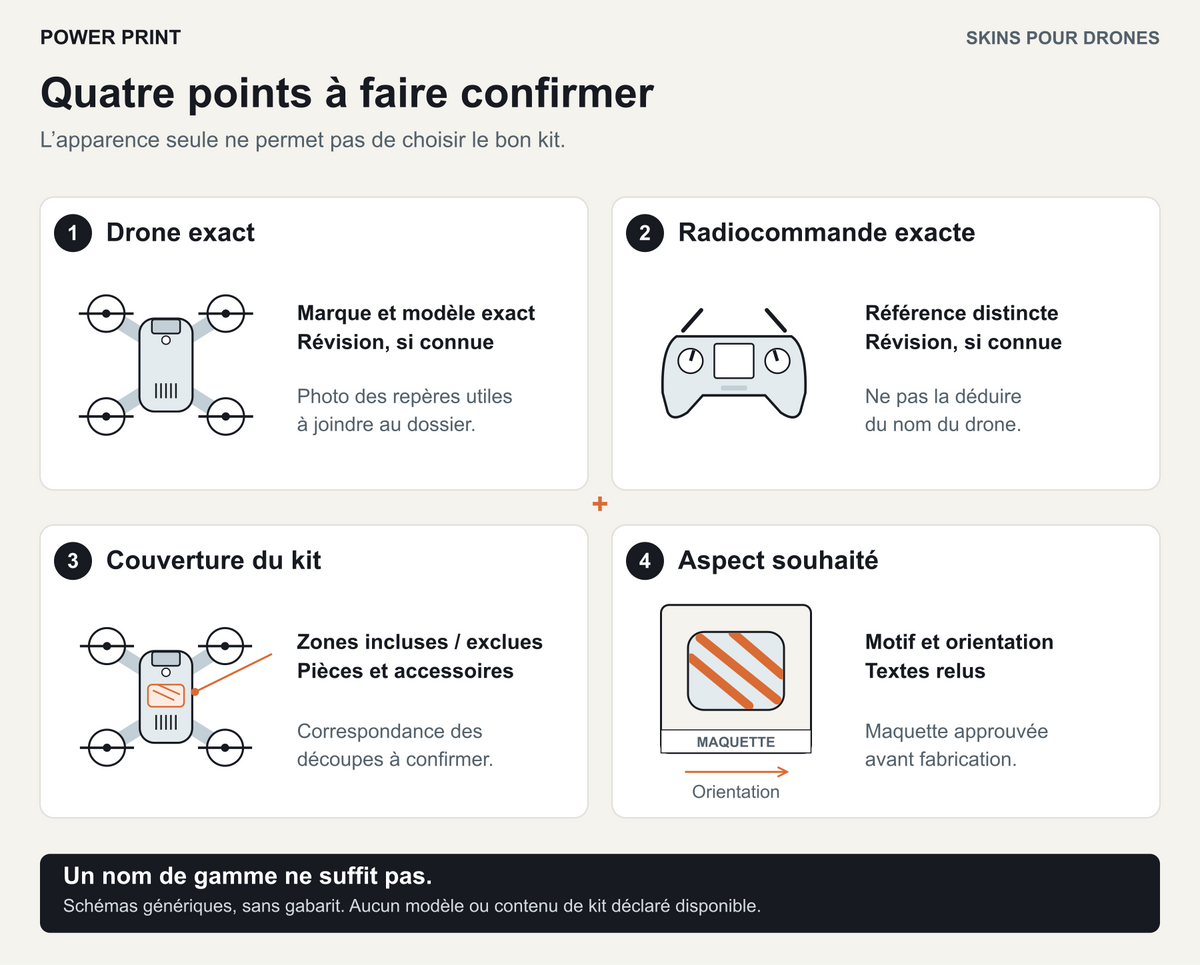
Before choosing a design, have four things confirmed: the exact drone reference, the remote controller reference, the areas covered and the artwork proof. An attractive photograph or a product range name is not enough to define what you will receive.
A skin personalises the device’s appearance with an adhesive covering. When preparing an order, the aim is to describe your equipment and desired result precisely, then have the project checked. No available model or kit should be inferred from the examples in this article.

1. Identify the drone and its remote controller separately
Copy the full names from the manufacturer’s information or the equipment references. Keep the suffixes and version numbers: an abbreviated name may leave room for ambiguity. If a hardware revision is given, record that too. Do not invent one if you cannot find it.
The remote controller needs its own line in the enquiry, even if it was bought with the drone. “With a screen” or “included in the pack” is not an exact reference. Also state whether an accessory, case or old adhesive covering already occupies the intended surface.
| Item to identify | Information to provide | Useful photograph |
|---|---|---|
| Drone | Make, full model name, reference and known revision | Top, underside and side views showing the intended areas |
| Remote controller | Full name, reference and known revision | Front, back and sides, with controls visible |
| Equipment already added | Case, mount or other item touching the area | View of the assembled equipment, without risky dismantling |
| Surface condition | Old film, texture, paint, marks or visible damage | Sharp close-up of the area concerned |
Photograph the markings needed for identification, hiding personal information and unnecessary identifiers. You do not need to share the full serial number to identify a model. If a reference remains uncertain, flag it and ask for it to be checked before ordering.
Two similar outlines do not prove that the same cut piece will fit. Photographs help explain your equipment; on their own, they do not become a template to scale. Additional views or measurements may be needed.
2. Clarify what the kit contains
Ask for a parts list and a diagram identifying the included areas. Terms such as “complete kit” or “drone wrap” do not tell you whether the remote controller, sides or underside are covered. An illustration may also combine several options.
Here is a simple grid to have completed in the proposal:
| Point to confirm | Answer needed before approval |
|---|---|
| Drone surfaces | Selected areas, excluded areas and the boundaries of each cut piece |
| Remote controller | Included or not; the relevant reference and surfaces covered |
| Other items requested | Separate assessment and explicit confirmation, with no assumption that they are included |
| Items supplied | Number and identification of pieces, documents and any application accessories |
| Application | Kit supplied without application, or an application service expressly included |
Coverage needs to take account of the device’s functions. Use its manual to locate sensors, openings, joints and necessary access points. Some areas must remain clear. For example, the DJI Mini 4 Pro manual says not to place adhesive in front of the vision and infrared sensing systems. This instruction does not constitute approval of a skin for that model. Official DJI Mini 4 Pro manual, vision systems section, in English.
Also have any markings and information that must remain visible identified according to the requirements applicable to your equipment. An artwork proposal does not remove the need to follow the manufacturer’s instructions.
3. Check the artwork proof in the context of the project
Send the best file you have and explain your priorities: logo, name, colour or design. Specify the preferred reading direction and important surfaces. You must have the necessary permissions for the graphic elements you provide.
Check four points on the artwork proof:
- Content: spelling, logo version and exact wording.
- Orientation: the direction of the design on the drone and on the remote controller when held.
- Joins: what happens where a line or image crosses several cut pieces.
- Clear areas: the design must not lead to moving or removing a necessary clearance.
Fictional example: you want a diagonal stripe and a small logo, with the design echoed on the remote controller. The stripe crosses two separate sections of the shell, and the logo falls near an opening. Ask to see both details in the proof. One option to explore is deliberately breaking the stripe and moving the logo to a surface included in the project.
This example illustrates a composition choice; it demonstrates neither the feasibility of a cut pattern nor the availability of a kit. Keep the dated version you approve so that you do not later compare the delivery with an older image.
A proof on screen helps you approve the layout of the design. It does not guarantee exact reproduction of colours or finish. If this is decisive, ask what means of approval can be offered before production.
4. Clarify the film and application conditions
Ask for details of the planned film, finish, selected surfaces and instructions for application, care and removal. The word “vinyl” alone does not describe how the adhesive behaves. A film that is repositionable under certain conditions may not remain so after application.
Flag a damaged surface, an existing covering or an intention to remove the design later from the outset. Do not assume it can be removed without marks, residue or effects on every surface. If you intend to apply the kit yourself, ask for the relevant instructions before confirming that choice.
The POWER PRINT drone skins and kits service includes assessment of the model and areas concerned. The actual contents are confirmed in the proposal. Personalisation does not allow promises of protection against impacts or water, or a beneficial effect on battery life, radio link or device temperature. It does not establish warranty coverage or compliance.
5. Send the information needed to check your enquiry
Your enquiry can be set out in seven points:
- Exact references for the drone and remote controller, including known revisions.
- Useful photographs and any references that remain uncertain.
- The areas you want covered and those that must stay clear.
- The design, available files and priority elements.
- The condition of the surfaces and any accessories already fitted.
- The number of kits and preferred date.
- How you intend to apply the skin, and any questions about care or removal.
Download the POWER PRINT drone skin checklist — printable PDF, 2 pages
This resource is optional: the essential information is given above. It also helps prepare for application. Once the kit is defined, read the preparation method and checks before use before removing any piece’s protective backing.
Email your photographs, artwork file and, if you use it, the checklist to contact@power-print.eu, including your name and project. If you also complete the quote request form, use the same details so that the two submissions can be matched.
Share:
Applying a drone skin: preparation, method and checks before use
Applying a drone skin: preparation, method and checks before use